 Bit2Me API
Embed widgets
Embed dashboard auth flow, identity in a native browser, add-card in a WebView, and theme customization.
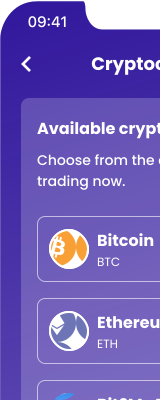
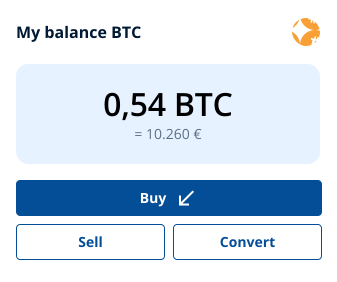
Embed is a hosted web service that plugs Bit2Me into your application flow quickly: your users buy, sell, swap, and earn crypto inside your app without you building those screens.
| Feature | How you launch it | Container |
|---|---|---|
| Dashboard (buy, sell, swap, earn) | https://embed.bit2me.com/dashboard?t={token}&lang={lang} | In-app WebView |
| Identity verification | POST /v3/account/verify/identity/init → open redirectUrl | Native browser (Safari, Chrome Custom Tab) — not a restricted WebView |
| Add card | https://embed.bit2me.com/add-card?t={token}&lang={lang} | In-app WebView |
Do not use a WebView for identity: camera and microphone will fail. See Identity and Add card.
Auth flow
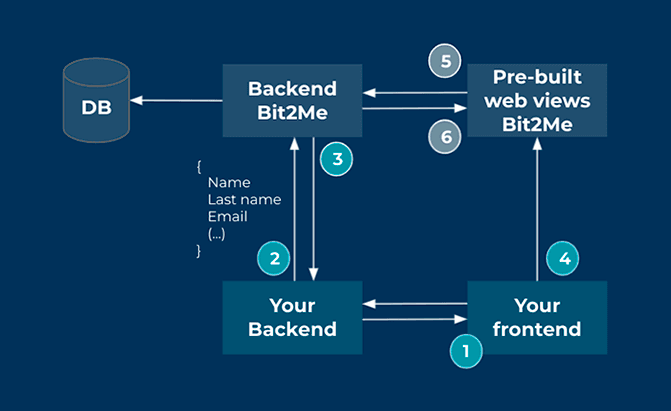
The user opens the embed from your frontend, in a WebView. It must be logged in to load the view; otherwise nothing is shown.
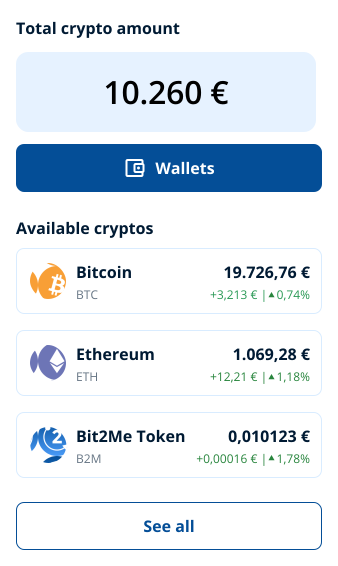
If the user has no subaccount yet, your backend creates one with POST /v1/account/subaccount (type is person or company). Bit2Me returns the userId that links the subaccount to your client's account. Keep that relationship in your backend: you need it to operate the subaccount from then on. If the user already has a subaccount, reuse its userId.
Your backend asks Bit2Me for a session token for that subaccount, signing the call with the parent HMAC:
POST https://gateway.bit2me.com/v1/signin/apikey{
"userId": "{subaccount_uuid}"
}Use accessToken.token from the response as t. See Authentication.
Load the dashboard with the token as a query parameter:
https://embed.bit2me.com/dashboard?t={token}&lang={lang}| Query | Required | Values |
|---|---|---|
t | Yes | Token from the previous step |
lang | No | en, es, or pt (default en) |
The embed checks the subaccount's status before operating. If the user has not completed KYC, operating and Earn are blocked and the embed invites the user to verify. See KYC.
Your users can now buy, sell, swap, and earn crypto.
A non-production embed host is not published.
Your backend endpoints
Besides integrating the embed, you must implement two endpoints in your backend and share them with Bit2Me before the embed is deployed: one where Bit2Me asks you to authorize each operation and one where Bit2Me reports transaction operations. Contracts: Partner REST overview.
User flows
Buy, sell, and swap
Earn (optional)
KYC (optional)
Customization
The embed supports light customization of its theme. To set it up, send Bit2Me the information listed in the embed customization requirements (PDF).
Default theme:
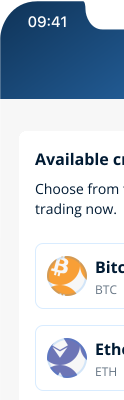
Custom theme (purple):